How to Set Up Cheap Digital Menu Boards for Your Restaurant
Affordable Digital Menu Boards Start With What You Already Have
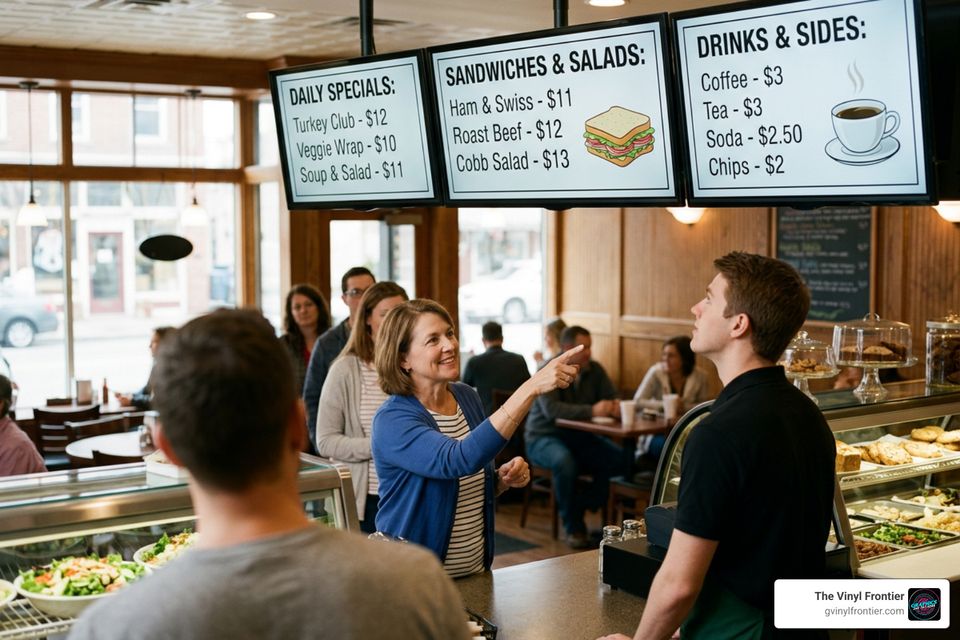
Cheap digital menu boards can start with a regular HDMI TV, a low-cost media player, and simple cloud-based software. For a small cafe, food truck, or single-location restaurant, this approach can reduce the upfront cost while still giving you fast menu updates, scheduled breakfast-to-dinner changes, and a more modern look than printed signs.
Budget componentTypical starting costWhat it doesExisting or consumer TVVariesDisplays the menu
Commercial media playerAbout $99.99Connects the screen to signage software
Budget signage softwareFrom about $8 per screen/monthLets you update and schedule menus remotely
Mount, cables, and powerExtraMakes the installation safe and clean
The lowest-price setup is not always the lowest-cost setup over time. Screen brightness, daily run time, Wi-Fi reliability, mounting, software fees, and design work all affect the real total.Still, a smart budget setup can eliminate repeat printing costs, keep prices current, and spotlight high-margin items when customers are deciding what to order.
At The Vinyl Frontier, we help local businesses improve visibility through durable signs, branded graphics, and display solutions, including practical guidance on cheap digital menu boards. Next, we will look at the hardware choices that have the biggest impact on cost, reliability, and image quality.
Understanding Hardware Options for Cheap Digital Menu Boards
Building a cost-effective system requires understanding the trade-offs between residential consumer hardware and commercial display technology. Research shows that roughly 80% of businesses report an increase in overall sales after introducing digital menu screens, while 75% report noticeable improvements in customer experience. Furthermore, around 46% of consumers actively find dynamic digital signage engaging.However, to capture these gains without burning through your equipment budget, you must make informed decisions about display panels and streaming hardware.
Consumer TVs vs. Commercial Displays: Trade-offs to Know
The fastest, cheapest way to get started with cheap digital menu boards is using a standard residential TV you might already own or purchase on sale. Modern consumer smart TVs with standard HDMI ports allow quick plug-and-play connections to streaming devices. However, using residential TVs in a high-demand commercial environment brings notable trade-offs:Feature / SpecificationConsumer Home TVCommercial-Grade DisplayDaily Duty CycleRated for 4–8 hours/dayBuilt for 16/7 or continuous 24/7 operation
Panel BrightnessStandard 230 to 500 nitsHigh brightness (450 to 700+ nits)
Screen GlareGlossy, reflective glassMatte, non-glare commercial panels
Lifespan Expectancy~20,000 operational hours70,000+ operational hours (approx. 8 years continuous)
Warranty TermsVoided if used in commercial venuesCommercial multi-year swap-out warranties
If your venue is a small bistro open 6 hours a day, a consumer screen might work temporarily. But in bright dining rooms or kitchens running 12 to 24 hours daily, consumer backlights quickly fade or suffer static image burn-in.
Media Players and Streaming Sticks
To stream content to your screen, you need a hardware device. For single screens or tight budgets, commercial media devices like the Amazon Signage Stick cost around $99.99 up front with no recurring hardware subscription fees. Buying through business accounts can lower costs even further with volume discounts.Alternatively, DIY tech enthusiasts often use low-cost single-board computers like a Raspberry Pi running light Linux digital signage players. For simple setups, some operators plug in a simple USB drive to play video loops or display image slideshows locally without paying monthly software fees.
However, dedicated media player hardware running in locked kiosk mode prevents accidental pop-ups, software crashes, and unauthorized access, keeping your menu running without interruption.
Software and Content Management on a Budget
Managing your digital screens requires software known as a Content Management System (CMS). Cloud-based CMS portals allow you to log into a web browser from anywhere and update prices, substitute photos, or change menu descriptions across all screens instantly. If you are exploring broader signage strategies, review The Ultimate Guide to Digital Menu Solutions for Hungry Customers for ideas on streamlining your ordering layout.Free and Low-Cost Software for Cheap Digital Menu Boards
You do not need high-priced enterprise software to control your displays. Affordable cloud solutions offer feature-rich entry tiers:- Entry-Level Cloud CMS: Platforms like Yodeck start around $8 per screen per month, offering easy template management and scheduling.
- Mid-Tier Restaurant Platforms: Solutions like NoviSign start around $20 per player per month, offering built-in designer tools, POS integration, and offline playback.
- Specialized Menu Licensing: Solutions like MustHaveMenus offer design licenses around $41 per month per location alongside display licenses near $20 per screen per month.
- Browser-Based Playback: Tools like MenuMog allow operators to display live menus on any screen using direct web links, eliminating app setup steps entirely.
- Freemium Tiers: Several software platforms offer free single-screen accounts, enabling food trucks or micro-cafes to operate without monthly software overhead.
Automated Features and Scheduling
Even low-cost software subscriptions include powerful automated features:Dayparting: Automatically switch menus from breakfast items to lunch and dinner combos at pre-scheduled hours without manual intervention.
Real-Time Updates: Modify menu pricing or mark sold-out items ("86ing") directly from your phone or Point-of-Sale (POS) system.
Offline Caching: If your venue loses internet connectivity, high-quality player software continues running your current menu from local device memory.
Hardware Timers: Program eco-power settings so screens automatically enter standby mode when your doors close, extending hardware lifespan and cutting power bills.
For restaurant operators browsing hardware and player components directly online, exploring digital menu options on Amazon offers a practical look at current device availability.
Design Strategies to Cut Costs on Menu Displays
Creating sharp, appealing graphics does not require paying high agency fees. Clear visuals, intentional spacing, and structured organization improve legibility while guiding customer purchase decisions. To explore how motion graphics boost revenue, check out our guide Beyond Static Why Animated Menu Boards Are a Must-Have.How to Design Cheap Digital Menu Boards Without Expensive Software
You can produce dynamic, high-resolution graphic menus using user-friendly web platforms. Tools like PosterMyWall, DSMenu, and Canva offer thousands of customizable, pre-formatted digital menu templates. Key steps for budget design include:- Use existing high-resolution food photos or clean graphics provided by vendor suppliers.
- Select simple 2-column or 3-column structured layouts that auto-adjust spacing for maximum readability.
- Maintain high color contrast between background elements and text descriptions.
- Keep video elements subtle so background movement does not distract customers from reading item listings and prices.
Layout Best Practices for Quick-Service Restaurants
Smart menu layout structures double as silent salespeople. By applying proven layout principles, you can boost average order sizes without spending extra on advertising:- Color-Coded Categories: Group food categories (such as Entrees, Sides, Beverages, and Desserts) with distinct background colors or header bands.
- Spotlight High-Margin Items: Frame your most profitable combos or signature drinks with bold borders or high-contrast accent colors.
- Font Legibility: Stick to clear, sans-serif typography that can be read from 10 to 15 feet away.
- Pacing and Clutter Control: Avoid crowding every square inch of the screen. Leaving adequate breathing room reduces visual fatigue and perceived wait times.
For foundational layout concepts, read our comprehensive overview Menu Boards 101.
Calculating Total Costs and Avoiding Hidden Pitfalls
When putting together cheap digital menu boards, ignoring small hardware details or subscription terms can cause expenses to add up quickly.Upfront vs. Long-Term Maintenance Costs
A low entry price can hide long-term operational costs if you do not plan ahead. Consider these primary factors:- Commercial Mounting Hardware: Secure tilt mounts, ceiling brackets, or multi-screen display aligners usually add $30 to $150 per display screen.
- High Ambient Light Requirements: If your screen faces direct sunlight or bright storefront windows, standard 250-nit screens will wash out. Investing in commercial 700-nit displays like high-brightness commercial displays prevents readability issues.
- Energy Consumption: Displays running continuous brightness draw noticeable power. Screens equipped with automatic eco-timers can cut energy draw by up to 30%.
- Licensing Growth: A $20/month software fee per screen equals $240 annually per display. Across three or four counter screens, software fees add up to a significant recurring operational line item.
To weigh digital screen expenses against traditional non-digital alternatives, review Serve Up Style on a Budget with These Cheap Menu Boards.
Turnkey Packages vs. DIY Assembly
Deciding whether to assemble hardware yourself or buy an all-in-one package depends on your technical comfort:- DIY Assembly: Purchasing consumer screens, standalone media sticks, and managing software yourself keeps upfront hardware costs low. However, you handle device troubleshooting, cabling, and software configuration independently.
- Turnkey Bundles: Turnkey packages supply pre-configured 4K commercial screens with built-in or pre-paired media players, wall brackets, and bundled software subscriptions. While upfront costs run higher, they eliminate initial technical setup friction for busy restaurant owners.